|
To animate a cloth we recommend the following steps:
- Check which are your units: are you working in meters or centimeters, etc.
To do that you can for instance measure your character. If the
measure is between 1 to 3 you are probably using meters. If the result
is between 100 and 300 you are using centimeters, etc.
Then go in the syflex reference document to the
Units chapter (in the Appendix)
to get some examples of simulation parameters, depending on your units.
There is also a table, in which you can input your units, that will give
you a first idea of simulation values.
You can also use the presets. These are predefined values available for
each node, and depending on units and type of cloth. You access presets
in the top right corner of the attribute page.
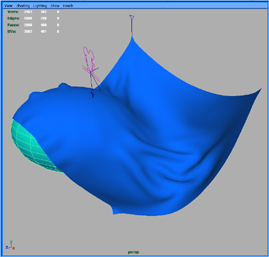
- Try to play with a simple piece of cloth, to experience the various
parameters.
- The size of the polygons on your cloth depends on the type of fabric you
want to simulate.
The size of the wrinkles on your cloth is related to the size of
the polygons.
For instance, to simulate leather you need bigger polygons than to
simulate cotton.
This table gives you a rough idea of sizes you can use, in centimeters:
| Leather | 2.0 cm
| | Denim | 1.5 cm
| | Cotton | 1.0 cm
| | Silk | 0.5 cm
|
- The final cloth mesh, used for rendering, might have smaller polygons
and more details (seams, pockets, buttons, ...). You can use a Maya
wrap deformer to deform the final mesh, from the simulation mesh.
- The mass per unit of surface of a cloth is often given in oz/yd² or
g/m²
This table gives you a rough idea of mass densities in g/m² :
| Leather | 800 g/m²
| | Denim | 400 g/m²
| | Cotton | 200 g/m²
| | Silk | 100 g/m²
|
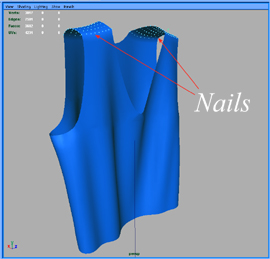
- Before adding the collision to your cloth, just hang it by the top to
check how the animation looks. The simulation will be very fast and will
allow you to tune (or even correct) the fabric properties.
- Use the cache when computing the simulation: this is better than using
playblast, because it allows to look at your cloth from different angles.
-
When you are satisfied with the animation, bake the simulation in cache files
so you can render on as many machines as you want, or you allow other
animators to view your scene (to work on lighting for instance) even if they
don't have syflex installed on their machines (check how to do that in the
cache chapter fn the appendix).
« Back
End
|