

|
Create another object, for instance a torus: Create > Polygon Primitives > Torus Translate the torus, so that it lies under the cloth: 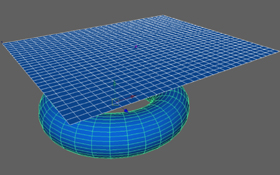 Define a collision between the cloth and the torus: Select both objects, and chose in the Syflex menu: Syflex > Collisions > Create Collider Change the envelopes: collisions are computed using a volume around the collider. Whenever a cloth enters this volume, collisions happen. These envelopes are distances around the object. Change also the friction attribute. 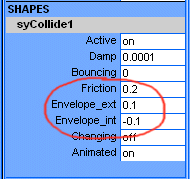 You can now run the animation. 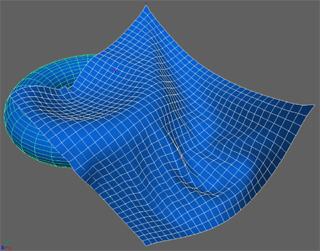 If the envelopes are too small, some edges of the torus are visible through the cloth. The external envelope should be adjusted so that the colliding object doesn't go through the cloth. In general you set the internal envelope to a value between 0 and the opposite of the external envelope (negative). The internal envelope is used to avoid very fast clothes to penetrate in the surface. This is useful when the collider objects moves very fast. The difference between the external and internal envelopes should be as small as possible to increase speed computation. In more complex cases you'll want to optimize the speed of collisions. If you know that some faces will never collide, you can remove them from the colliding faces. In this example, only the top faces of the torus are colliding with the cloth. Select this faces, then select the collider (syCollide1Trs in the outliner for instance) and use the function: Syflex > Collisions > Set Collider Faces 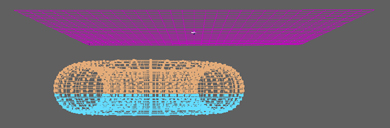 You can retrieve the colliding faces by selecting the collider and using: Syflex > Collisions > Get Collider Faces In an analogous way, if you know that some cloth vertices will never collide, you can also remove them by selecting only the colliding vertices and using: Syflex > Collisions > Set Cloth Vertices « Back Next » |
Syflex LLC - www.syflex.biz