

|
The relations between all syflex objects are visually represented in the hypergraph: 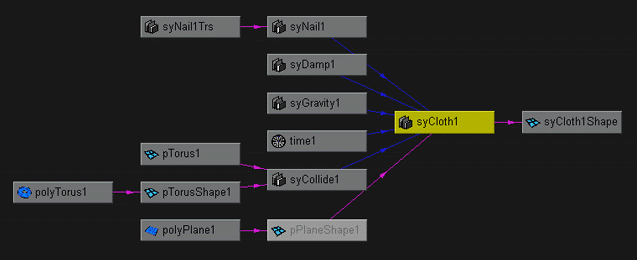 The cloth node (syCloth1) is at the center. The pink arrows show the geometry connections:
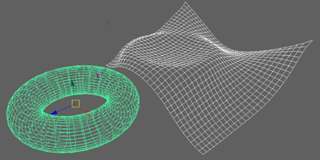 The other inputs of the cloth node are the forces and constraints applied on the cloth. The collide node has 2 inputs: the shape, and its transformation in world coordinates. Each node has its own attributes. Syflex doesn't use any special files to save its informations. Everything (except the cache files) is saved in Maya files. If the cloth is smoothed, using the Maya function Polygons > Smooth, the smoothing is added at the right end of the chain. At each frame the cloth will be computed, and smoothed. 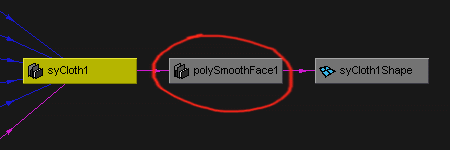 « Back Next » |
Syflex LLC - www.syflex.biz